
Choosing the best printer in Canada can feel like navigating a vast, ever-changing maze of technology, features, and brand promises. With remote work, digital workflows, and environmental responsibilities becoming core concerns, printers are no longer just office accessories—they’re vital tools shaping your productivity and sustainability footprint. In this guide, we delve into the best printers available in Canada, revealing what makes them stand out in a competitive marketplace while offering insights into how emerging tech shifts and eco-conscious trends influence your choice. Whether you’re a home user, small business owner, or corporate professional, this comprehensive review aims to serve as your ultimate compass to make informed decisions effortlessly.
Top 10 Best Printers in Canada - 2026 - A Quick Overview
Detailed Product Reviews on Printers in Canada - 2026 - A Quick Overview
Product Description
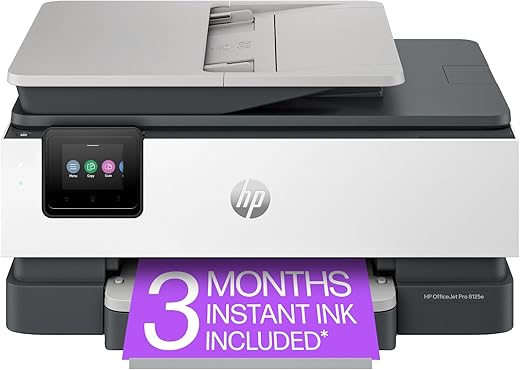
The HP OfficeJet Pro 8125e Wireless Printer is a versatile and efficient multifunction device designed to meet the demands of both home and office environments. With impressive print speeds of up to 20 pages per minute for black and 10 pages per minute for color, this printer ensures that your tasks are completed quickly. The high-resolution scanner, which boasts a stunning 4800 x 1200 dpi, allows for crisp copies and scans of important documents.
A standout feature is its dual-sided printing capability, which not only helps in saving paper but also aligns with eco-friendly practices. The 225-sheet input capacity means less frequent refills, enhancing productivity. Connectivity options are abundant; wireless printing from smartphones and tablets adds to the convenience of this printer. The intuitive touchscreen display makes it easy to navigate through various functions, allowing users to seamlessly switch between printing, scanning, and copying.
Pros:
- Fast print speeds (20 ppm black, 10 ppm color)
- High-resolution scanning (4800 x 1200 dpi)
- Dual-sided printing feature for eco-friendliness
- Large input capacity (225 sheets)
- Wireless connectivity for mobile printing
- User-friendly touchscreen interface
Cons:
- Relatively heavier at 3.6 kg
- Made of plastic, which may not be as durable
- Limited memory storage capacity (512 MB)
Product Description
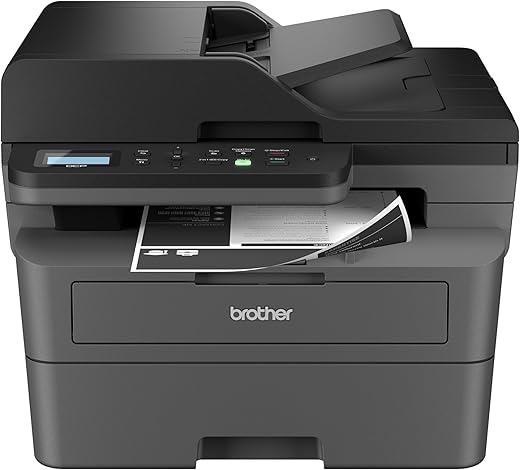
The Brother DCP-L2640DW Multifunction Laser Printer is an exceptional choice for those seeking a reliable all-in-one printer that combines functionality and efficiency. This compact monochrome laser printer excels in printing, scanning, and copying, making it ideal for both home and office settings. With its impressive print speed of up to 36 pages per minute and a maximum print resolution of 1200 dpi, users can expect sharp, professional-quality documents.
The wireless connectivity feature allows for easy printing from smartphones and tablets, enhancing convenience for tech-savvy users. Moreover, the Refresh EZ Print Subscription offers significant savings on toner, ensuring that your printing costs remain manageable. The printer’s dual-sided printing capability further contributes to efficiency and eco-friendliness, allowing for two-sided documents without manual intervention.
However, it is important to note that this printer is monochrome, limiting its use for color printing tasks. Additionally, while the maximum input sheet capacity of 250 sheets is suitable for many users, heavy-duty users may find it lacking.
Pros:
- High-quality monochrome printing at 1200 dpi
- Fast print speed of 36 ppm
- Wireless connectivity for mobile printing
- Cost-effective toner subscription available
- Dual-sided printing feature
Cons:
- Limited to monochrome printing only
- Maximum input capacity may not suit heavy users
Product Description
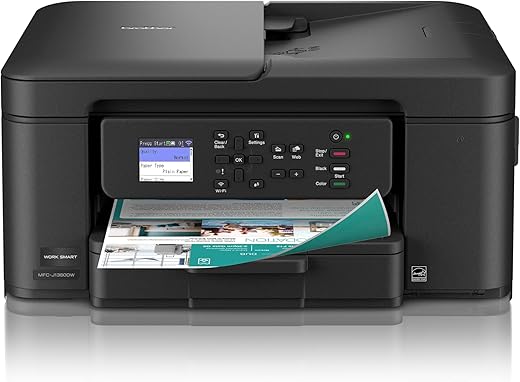
The Brother Work Smart MFC-J1360DW All-in-One Printer is a robust solution for both home and office environments. This versatile inkjet printer combines printing, copying, and scanning functionalities, making it an essential tool for enhancing productivity. With a maximum print resolution of 1,200 x 6,000 dpi, users can expect vibrant and high-quality prints, whether for professional documents or family photos.
The printer supports a maximum media size of 8.5 x 14 inches and boasts a 150-sheet input capacity, allowing for efficient handling of various print jobs. The dual-sided printing feature not only saves paper but also promotes eco-friendliness. The included Brother Mobile Connect app facilitates seamless mobile management, making it easy to print directly from smartphones and tablets. Additionally, the automatic document feeder streamlines multi-page copying and scanning tasks, making it a time-saver for busy households or small offices.
Connectivity options include USB 2.0, ensuring compatibility with a wide range of devices, including laptops and PCs. Overall, the Brother MFC-J1360DW stands out for its blend of performance, convenience, and quality.
Pros:
- High print resolution for vibrant images
- Efficient dual-sided printing
- User-friendly mobile management through the Brother Mobile Connect app
- Automatic document feeder for easy multi-page tasks
- Versatile compatibility with various devices
Cons:
- The 150-sheet capacity may be limiting for high-volume users
- Initial setup can be complex for some users
Product Description
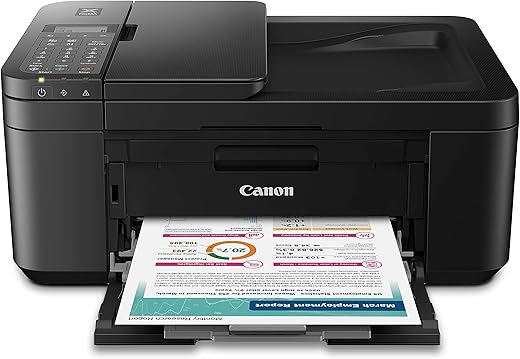
The Canon PIXMA TR4720 All-in-One Printer is an exceptional choice for home users seeking versatility and high-quality output. This printer combines four essential functions—printing, copying, scanning, and faxing—into a single compact unit, making it ideal for both personal and small office environments. With its sleek design and dimensions of 29.7D x 43.7W x 19.1H cm, it fits seamlessly into any workspace.
One of the standout features is its mobile printing capabilities, allowing users to print directly from their smartphones via Android and iOS devices. The printer supports a maximum media size of legal, accommodating various document types. The auto document feeder simplifies multi-page tasks, while the dual-sided printing feature helps save paper. The Canon PIXMA TR4720 delivers a maximum color print resolution of 4800 x 1200 dpi, ensuring vibrant and sharp images. With a maximum black and white print resolution of 600 x 600 dpi and a copying speed of 8.8 ppm, it efficiently handles everyday tasks.
However, while the TR4720 excels in functionality, it may not be the fastest option available for high-volume printing.
-
Pros:
- Versatile all-in-one functionality
- Excellent mobile printing support
- High-quality color resolution
- Auto document feeder for convenience
- Dual-sided printing feature
-
Cons:
- Slower print speed for high-volume tasks
- Limited connectivity options compared to higher-end models
Product Description
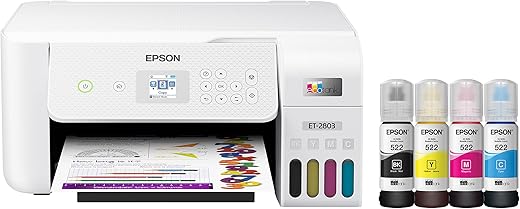
The Epson EcoTank ET-2803 All-in-One Printer is a game-changer for anyone looking to streamline their home office setup while being environmentally conscious. This printer eliminates the need for traditional ink cartridges, significantly reducing your printing costs with its innovative refillable ink tank system. With a compact design (57.9D x 37.6W x 25.4H cm), it fits perfectly in any workspace without sacrificing functionality.
The EcoTank ET-2803 excels in producing high-quality prints with a color resolution of 5760 x 1440 dpi, ensuring vibrant colors for all your documents and photos. Its built-in scanning and copying capabilities further enhance its versatility, making it a true all-in-one solution. The printer supports both Windows and macOS, catering to a wide range of users.
One of the standout features is the 100-sheet input capacity, allowing you to tackle larger print jobs without frequent reloading. With a maximum copy speed of 10 pages per minute, efficiency is at your fingertips.
Pros:
- Cartridge-free printing reduces ink costs significantly
- High-resolution printing (5760 x 1440 dpi)
- Multi-functional: print, scan, and copy
- Compact design suitable for home office use
- Compatible with Windows and macOS
Cons:
- Initial setup may take longer than traditional printers
- Limited to A4 max media size
- LCD display may not be as intuitive as touchscreens
Product Description
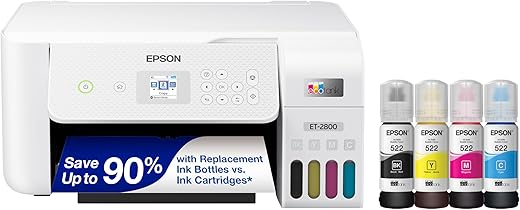
The Epson EcoTank ET-2800 All-in-One Printer is a game changer for both home and small office use. With its innovative cartridge-free technology, users can enjoy up to 2 years of ink included, significantly cutting down on printing costs and environmental waste. This printer stands out with its exceptional print quality, producing vibrant color prints with a maximum resolution of 4800 x 600 dpi, and sharp black and white documents at 5760 x 1440 dpi.
The EcoTank ET-2800 supports a maximum media size of A4 and has a flatbed scanner, making it versatile for various tasks. Its wireless connectivity options allow for seamless printing from laptops, enhancing convenience for users who prefer mobile printing solutions. The LCD display is user-friendly, making navigation through settings straightforward. With a maximum input sheet capacity of 100 and a copy speed of 10 pages per minute for black and white, the ET-2800 caters to everyday printing needs efficiently.
Pros:
- Cartridge-free printing reduces costs and waste.
- Up to 2 years of ink included.
- High print resolution for vibrant colors and sharp text.
- Wireless connectivity for convenient mobile printing.
- User-friendly LCD display.
Cons:
- Limited to A4 maximum media size.
- Copy speed may be slower compared to higher-end models.
- Initial setup can be complex for non-tech-savvy users.
Product Description
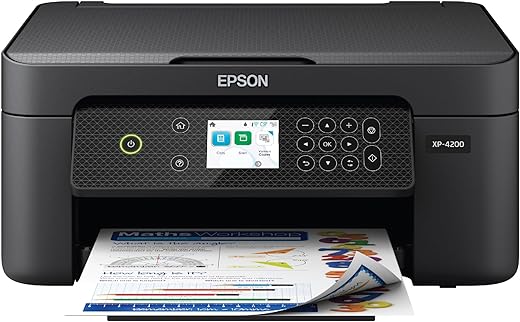
The Epson Expression Home XP-4200 All-in-One Wireless Printer is a versatile and reliable choice for home users seeking a compact device for all their printing needs. With its impressive maximum print resolution of 5760 x 1440 DPI, it produces sharp documents and vibrant borderless photos that are perfect for any occasion. The printer’s user-friendly design features an LCD display, making navigation a breeze.
Connectivity isn’t an issue with the XP-4200, as it supports easy wireless printing, including voice-activated capabilities that add a layer of convenience for tech-savvy users. The auto-duplex feature allows for automatic double-sided printing, helping to save paper and reduce waste. Additionally, the printer’s compact dimensions (57.7D x 37.6W x 24.1H cm) make it an excellent fit for small home offices.
However, it’s essential to consider the printer’s specifications carefully. With a maximum input sheet capacity of 100 sheets and a black and white copy speed of 10 pages per minute, it may not be suitable for high-volume printing environments.
Pros:
- High-quality prints with a resolution of 5760 x 1440 DPI
- Wireless connectivity and voice-activated printing
- Compact design fits easily in home settings
- Auto-duplex feature for efficient printing
Cons:
- Limited input capacity of 100 sheets
- Moderate print speed may not meet high-volume needs
Product Description
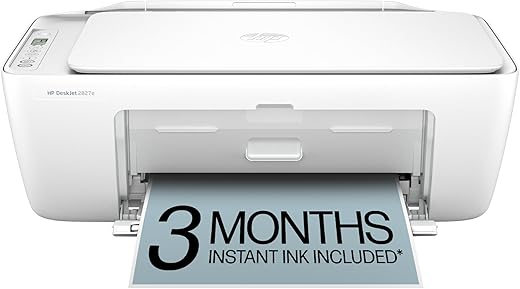
The HP DeskJet 2827e All-in-One Wireless Printer is a reliable choice for those seeking a compact and efficient printing solution for home or small office use. This versatile printer not only prints but also scans and copies, making it a great addition to any workspace. With print speeds of 7.5 pages per minute for black and 5.5 pages per minute for color, it offers decent performance for everyday tasks. The printer supports various media sizes, accommodating up to 8.5 x 14 inches, which is perfect for standard documents as well as larger print jobs.
One of the standout features of the HP DeskJet 2827e is its wireless connectivity, allowing users to print from anywhere in the home or office. The setup process is straightforward, and it comes with necessary components including setup cartridges and a power cord. The scanner boasts an impressive resolution of 4800 x 1200, ensuring that your scanned documents are sharp and clear.
However, the plastic build may feel less durable compared to more premium models, and the maximum copies per run are limited to nine, which could be a drawback for higher volume needs.
Pros:
- Versatile all-in-one functionality (print, copy, scan)
- Wireless connectivity for convenient printing
- Decent print speeds for everyday use
- High scanner resolution for quality documents
Cons:
- Plastic construction may lack durability
- Limited to nine copies per run
Product Description
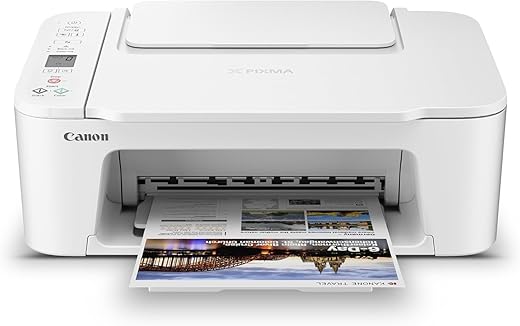
The Canon PIXMA TS3720 All-in-One Printer stands out as a versatile and compact solution for home and office environments. Known for its fast printing, scanning, and copying capabilities, this printer is particularly appealing to users who work with Chromebooks, thanks to its seamless compatibility. The sleek design does not occupy much space, making it an ideal addition to any workspace.
With a maximum print resolution of 4800 x 1200 dpi, the TS3720 delivers impressive color prints that are sharp and vibrant. The printer also offers a decent maximum copy speed of 7.7 pages per minute for black and white documents, which makes it efficient for everyday tasks. The 60-sheet input capacity allows for moderate printing jobs without frequent paper replenishment.
Furthermore, the TS3720 is equipped with wireless connectivity, allowing users to print from their mobile devices or laptops without the hassle of tangled wires. Its Energy Star certification and Auto Power On feature contribute to energy efficiency, making it an environmentally friendly option.
Pros:
- Compact design suitable for small spaces
- High-resolution printing (4800 x 1200 dpi)
- Fast copy speeds (7.7 ppm for B&W)
- Wireless connectivity for easy mobile printing
- Energy-efficient with Auto Power On feature
Cons:
- Limited input capacity (60 sheets)
- Slower performance for color printing compared to black and white
- Basic LCD display may lack advanced features
Product Description
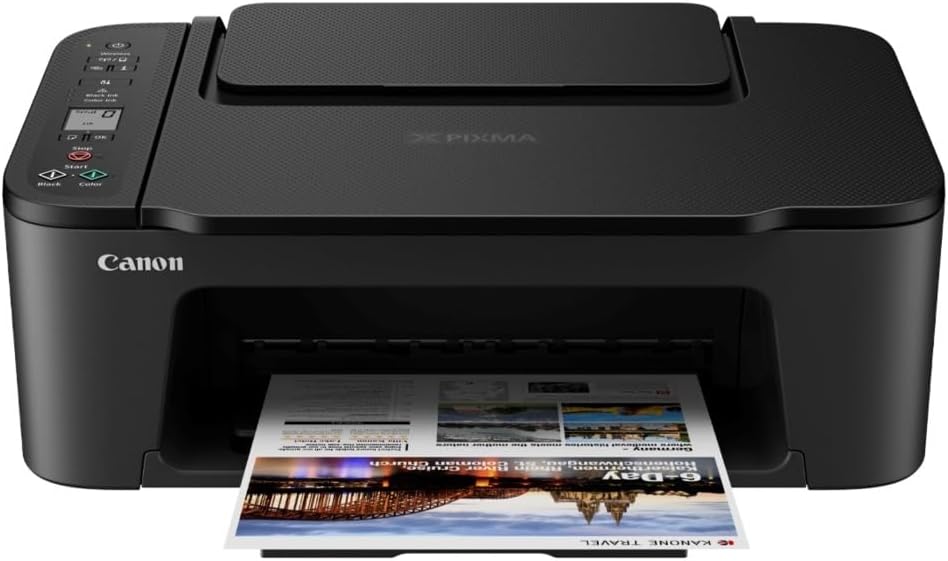
The Canon PIXMA TS3720 Wireless All-in-One Printer is an excellent choice for anyone seeking versatility in their home office setup. This compact printer combines printing, scanning, and copying functionalities, making it ideal for various tasks. With dimensions of 43.7D x 32.8W x 14.7H cm, it fits seamlessly into small spaces without sacrificing performance. The TS3720 boasts impressive print speeds, delivering black and white documents at 7.7 pages per minute and stunning color prints at a maximum resolution of 4800 x 1200 dpi.
One of the standout features of the PIXMA TS3720 is its 60-sheet capacity rear paper tray, allowing for efficient printing of larger projects without frequent reloads. The printer supports borderless printing, making it perfect for photos and creative projects. Additionally, the Auto Power On feature adds convenience, automatically powering up the printer when a document is sent for printing. The integrated display screen simplifies navigation through settings and options.
For those who prioritize energy efficiency, the PIXMA TS3720 is Energy Star certified, ensuring lower energy consumption during operation.
Pros
- Versatile all-in-one functionality: print, scan, copy
- Compact design suitable for home offices
- Fast print speeds (7.7 ppm for black and white)
- High-quality color prints (4800 x 1200 dpi)
- 60-sheet capacity rear paper tray
- Convenient Auto Power On feature
- Energy Star certified for efficiency
Cons
- Limited maximum input capacity (60 sheets)
- May not be suitable for high-volume printing needs
- Lacks advanced features found in higher-end models
How We Picked and Tested
- Market Research & Consumer Feedback: We analyzed Canadian consumer reviews, industry reports, and trusted tech publications like TechRadar Canada, PCMag, and CNET to identify trending models.
- Technical Specifications & Performance: Each printer was evaluated based on print quality, speed (pages per minute), connectivity options, and operational costs, referencing detailed tests from authoritative sources such as Canstar Blue.
- Eco-Friendliness & ESG Credentials: We prioritized printers with energy-saving features, recyclability, and adherence to environmental standards, aligned with Canada’s focus on sustainability.
- User Experience & Maintenance: Ease of setup, user interface, paper handling, and durability were assessed through user forums and technology blogs.
- Price & Value: We balanced cost-effectiveness with feature richness, ensuring the options cater to various budgets without compromising quality.
Various Types of Printers
- Inkjet Printers: Ideal for color-rich images and versatile printing needs, perfect for home users and small offices. Known for high-quality photo printing but may incur higher ink costs.
- Laser Printers: Designed for high-volume, fast, and crisp black-and-white or color printing. Best suited for small to medium-sized businesses requiring swift and economical output.
- All-in-One Printers (Multifunction): Combine printing, scanning, copying, and sometimes faxing into one device. These are multi-talented tools for dynamic work environments.
- Photo Printers: Focus on producing high-resolution photographs, leveraging advanced color management technologies suited for professional photographers or hobbyists.
- Dye Sublimation and 3D Printers: More niche but emerging segments, catering to specialty printing markets and innovative manufacturing sectors.
Tips to Choose the Best Printer in Canada
- Assess Your Printing Needs: Determine the volume, color requirement, and print quality desired. Home users might prioritize compact, versatile models, whereas offices need high-speed, high-capacity machines.
- Evaluate Connectivity Options: Prioritize printers with Wi-Fi, Bluetooth, AirPrint, or Google Cloud Print compatibility to streamline workflows.
- Understand Operating Costs: Examine ink or toner costs, page yields, and energy consumption. A machine with a lower cost per page greatly benefits long-term budget planning.
- Consider Eco-Friendly Features: Features like duplex printing, energy-efficient modes, and recyclable cartridges support sustainable practices.
- Review Compatibility & Support: Ensure the printer integrates smoothly with your existing devices and software, including compatibility with emerging cloud platforms and mobile apps.
- Factor in Future Trends: Technologies like AI-assisted maintenance, smart diagnostics, and integration with IoT devices are shaping the future of printing.
Types of Printers Available in Canada
As the landscape of printing technology evolves, Canadians now have access to a diverse array of options designed to suit individual and organizational preferences:
- Traditional Inkjet & Laser Printers: The stalwarts offering reliable performance for everyday needs, with recent models featuring energy-saving and smart connectivity capabilities.
- Wireless & Cloud-Connected Printers: Enable printing from smartphones, tablets, and remote locations, aligning with the mobility-driven shift in user behavior.
- Eco-Conscious Printers: Incorporate sustainability-first features such as refillable ink tanks, energy-efficient operation, and recyclable cartridges, supporting Canada’s commitment to ESG challenges.
- 3D Printers & Specialized Solutions: Gaining traction among innovators and design professionals, enabling rapid prototyping and custom manufacturing within Canada’s burgeoning maker economy.
ESG and the Printer Market
Environmental, Social, and Governance (ESG) factors influence the evolution of printers significantly. Manufacturers now emphasize:
- Energy Efficiency: Certification programs like ENERGY STAR® are becoming standards, reducing carbon footprints at individual and organizational levels.
- Sustainable Materials: Use of recyclable plastics and eco-friendly manufacturing processes in production cycles.
- Supply Chain Transparency: Ethical sourcing and eco-conscious logistics reduce environmental impact.
- Social Responsibility: Promoting inclusive design and equitable access, ensuring that printers serve diverse communities effectively.
Incorporating ESG considerations ensures devices not only deliver on performance but also align with the values propelling Canada’s clean tech and social sustainability agenda.
Advantages of Modern Printers
- Cost Efficiency: High-yield cartridges, duplex printing, and energy-saving modes cut overall expenses.
- Enhanced Connectivity: Seamless wireless, cloud, and mobile printing empower users on the go.
- Improved Quality & Speed: Faster processing with superior print clarity meets demanding professional standards.
- Eco-Conscious Operations: Lower energy use and recyclable components help meet sustainability goals.
- Smart Integration: Compatibility with personal assistants, IoT devices, and enterprise platforms future-proofs your workflow.
Frequently Asked Questions (FAQs)
- What is the most affordable printer for home use in Canada? Entry-level inkjet models from brands like Canon and Epson offer excellent value for light, household printing needs.
- Are laser printers better for small offices? Yes, they are faster, handle more volume with less maintenance, and typically have a lower cost per page.
- How environmentally friendly are modern printers? Newer models prioritize energy savings, recyclable cartridges, and sustainable manufacturing practices, aligning with Canada’s commitment to ESG.
- What should I consider when choosing a wireless printer? Ensure it supports your network (Wi-Fi 5/6, Bluetooth), is compatible with your devices, and offers mobile printing capabilities.
- Will emerging technologies like AI impact future printers? Absolutely. AI will enable predictive maintenance, smarter workflows, and enhanced security, making printers more autonomous and efficient.
Conclusion
In the dynamic landscape of printing technology, selecting the best printer in Canada requires a blend of understanding your unique needs, evaluating technological innovations, and prioritizing sustainability. The printers highlighted in this guide exemplify cutting-edge features—combining speed, quality, connectivity, and eco-consciousness—to help you make confident decisions that align with your digital lifestyle and environmental responsibilities. As innovations such as AI, IoT, and exponential tech continue to revolutionize user experiences, Canadians can anticipate a future where printing seamlessly integrates into smarter, greener, and more connected workflows. Embrace the future with confidence—choose a printer that not only meets today’s demands but also prepares you for tomorrow’s digital advancements.