
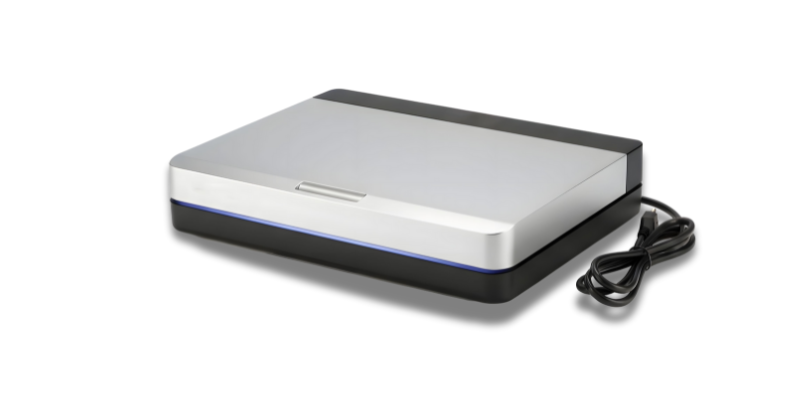
In today’s fast-paced world, digitization is no longer a luxury—it’s a necessity. Whether you’re managing a small business, organizing personal archives, or striving for an eco-friendly office, a high-quality scanner can be your best ally. Canada, with its expansive geography and diverse tech landscape, offers a multitude of scanner options tailored for different needs. This guide dives deep into the best scanners available across Canada, helping you make an informed choice that balances performance, cost, and sustainability.
Top 10 Best Scanners in Canada - 2026 - A Quick Overview


Detailed Product Reviews on Scanners in Canada - 2026 - A Quick Overview
Product Description
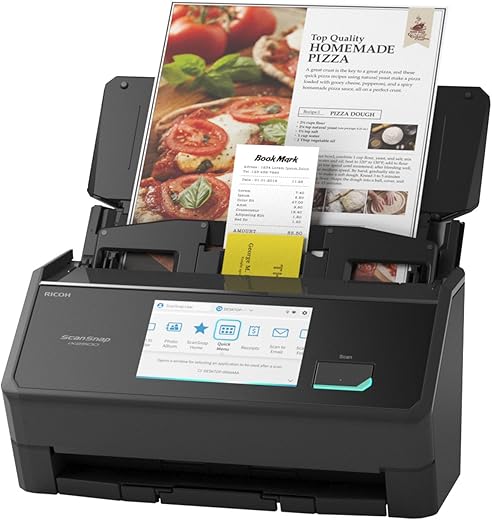
The ScanSnap iX2500 Wireless Document Scanner stands out as an exceptional tool for both home and office use, delivering impressive performance and versatility. With its 100-page automatic feeder and scanning speed of up to 45 pages per minute (ppm), this scanner is designed for efficiency, making it perfect for busy professionals and students alike. Its high-resolution scanning capability of 600 dpi ensures that your documents, photos, and receipts are captured with clarity and detail.
The scanner’s wireless and USB connectivity options provide flexibility for various setups, allowing users to place the device conveniently within their workspace. Additionally, its cloud compatibility enables effortless organization and sharing of scanned documents, making it an excellent choice for those who prioritize digital efficiency. Weighing just 3.49 kg and with compact dimensions, the ScanSnap iX2500 can fit seamlessly into any environment without taking up excessive space.
Pros:
- Fast scanning speed of 45ppm
- 100-page automatic feeder for bulk scanning
- High resolution of 600 dpi for clear images
- Wireless and USB connectivity options
- Cloud compatibility for easy document sharing and organization
- Compact and lightweight design
Cons:
- Higher price point compared to basic scanners
- Limited to a maximum media size of 8.5 x 14 inches
- Requires software installation for optimal use
Product Description
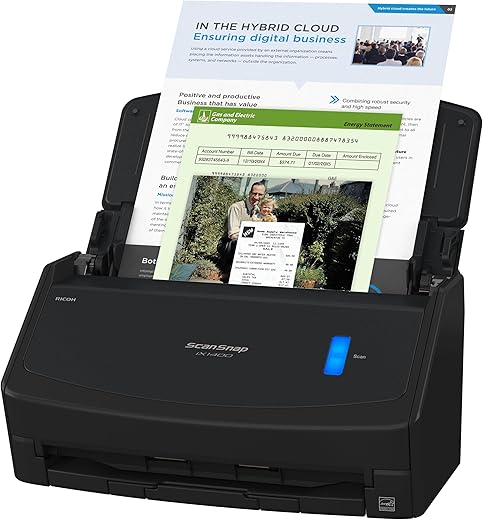
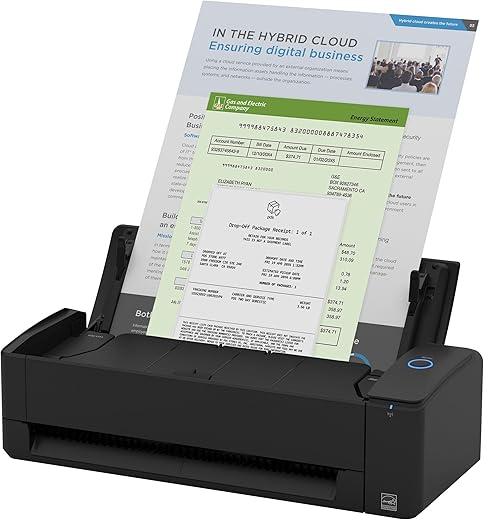
The ScanSnap iX1400 One-Touch Document Scanner stands out in the competitive market of document scanners, delivering a seamless scanning experience tailored for both home and office use. With its one-touch operation, this scanner processes documents, photos, and receipts in a matter of seconds, making it ideal for busy professionals and students alike. The advanced image cleaning features ensure that every scan is of the highest quality, while the reliable paper feeding system minimizes jams and misfeeds.
Compatible with both PC and Mac, the ScanSnap iX1400 boasts a resolution of 600 dpi, rendering sharp and clear images. Its compact dimensions of 16 x 29.21 x 15.24 cm and lightweight design at 3.22 kg make it easy to fit into any workspace without sacrificing functionality. Operating at a modest 17 watts, it is energy-efficient, appealing to eco-conscious users.
Overall, the ScanSnap iX1400 is an exceptional choice for anyone looking to streamline their document management process without compromising on quality.
Pros:
- One-touch operation for hassle-free scanning
- High-quality scans with 600 dpi resolution
- Advanced image cleaning features
- Reliable paper feeding system
- Compact and lightweight design
Cons:
- Limited to paper media types
- Slightly higher price point compared to basic scanners
Product Description
The Epson WorkForce ES-50 Portable Document Scanner is an ideal solution for professionals and students who require a lightweight and efficient scanning device. Weighing just 267.62 grams, this compact scanner is perfect for those constantly on the move. With a rapid scan speed of 5.5 seconds, it ensures that you can digitize documents swiftly, whether you’re at home, in the office, or traveling. The ES-50 is versatile, capable of handling various document types from ID cards to receipts, making it a valuable tool for anyone looking to keep their paperwork organized.
The scanner boasts a resolution of 600 dpi, ensuring crisp and clear image quality. Connectivity is straightforward with its USB 2.0 interface, making it compatible with both Windows and Mac operating systems. The compact dimensions (4.57 x 27.18 x 3.3 cm) allow it to fit easily into a laptop bag or briefcase, making it a must-have for remote work or on-the-go professionals.
Pros:
- Lightweight and portable design
- Fast scanning speed (5.5 seconds)
- High resolution (600 dpi) for clear images
- Versatile document handling (ID cards, receipts, etc.)
- Easy connectivity via USB 2.0
Cons:
- Corded power source limits mobility
- Lacks wireless connectivity options
- Limited to scanning one document at a time
Product Description
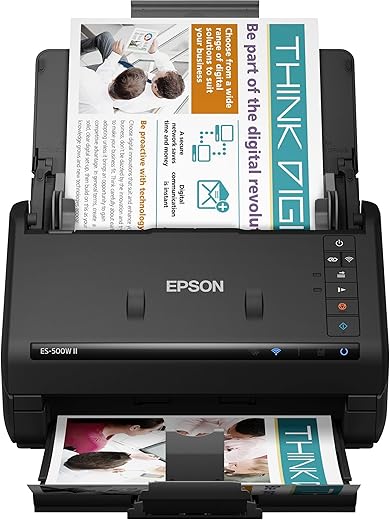
The Epson Workforce ES-500W II Wireless Document Scanner is a powerful tool designed for efficiency and convenience, catering to both PC and Mac users. With its sleek design and advanced features, this scanner stands out in the crowded market of document scanning solutions. The standout feature is its wireless connectivity, allowing users to scan documents directly from their smartphones or tablets, making it perfect for those who are always on the go.
Equipped with a 50-sheet Auto Document Feeder, the ES-500W II can handle large scanning jobs with ease, significantly increasing productivity. The scanner also boasts a respectable resolution of 600 DPI, ensuring that every detail of your documents is captured with precision. Furthermore, its compact dimensions (29.46 x 29.46 x 17.53 cm) and lightweight design (3.67 kg) make it easy to fit into any workspace without taking up valuable real estate.
Pros:
- Wireless connectivity for easy mobile scanning.
- 50-sheet Auto Document Feeder for efficient batch scanning.
- High resolution of 600 DPI for clear and detailed scans.
- Compatible with both PC and Mac systems.
- Compact and lightweight design for easy storage.
Cons:
- Price may be higher compared to some entry-level scanners.
- Limited size for scanning (max media size: 8.5" x 240").
Product Description
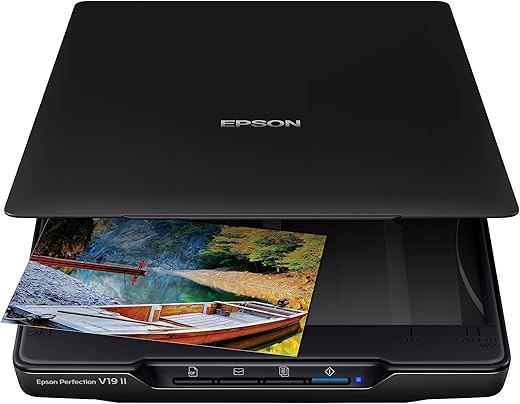
The Epson Perfection V19 II Photo Document Scanner is a versatile scanning solution tailored for both home and office use. With an impressive resolution of 4800 dpi, this scanner captures stunning images, ensuring that your photos, documents, and books are reproduced with remarkable clarity. Its user-friendly one-touch functionality makes the scanning process effortless, allowing users to quickly digitize their important materials without the hassle of complicated setups.
Measuring 36.58 x 25.15 x 3.81 cm and weighing only 1.41 kg, the V19 II is compact and lightweight, making it easy to store or transport. The scanner is also USB powered, consuming a mere 2.5 watts, which is an excellent energy-saving feature. Advanced software capabilities further enhance the scanning experience, providing options for editing and organizing your scanned files.
For anyone looking for a dependable scanner that combines quality, efficiency, and convenience, the Epson Perfection V19 II is a top choice in the Canadian market.
Pros:
- High resolution of 4800 dpi for detailed scans
- One-touch functionality for easy operation
- Compact and lightweight design
- USB powered with low energy consumption
- Advanced software capabilities for enhanced scanning
Cons:
- Limited to paper and photo media types
- Lacks wireless connectivity options
Product Description
The Epson WorkForce ES-60W Portable Document Scanner is an exceptional tool for anyone seeking a compact and efficient scanning solution. Weighing in at just 299.37 grams, this scanner is the lightest and smallest in its class, making it ideal for professionals on the go. With a remarkable scanning resolution of 1200 dpi, it captures documents, cards, and receipts with clarity and precision.
Equipped with Wi-Fi capabilities and a robust battery life, the ES-60W allows for wireless scanning, which is perfect for those who prefer a clutter-free workspace. Its smart organization tools simplify the document management process, enabling users to easily categorize and retrieve scanned files. The scanner supports various media types, making it versatile for different scanning needs.
Overall, the Epson WorkForce ES-60W is a game-changer for individuals looking to enhance their productivity without sacrificing quality or convenience.
Pros:
- Lightweight and portable design
- High scanning resolution of 1200 dpi
- Wireless scanning capabilities via Wi-Fi
- Efficient for various media types including documents and receipts
- Smart organization tools for easy file management
Cons:
- Limited to a specific media type, may not suit all scanning needs
- Battery life may vary based on usage
Product Description
The ScanSnap iX1300 Wireless Double-Sided Document Scanner is a remarkable solution for individuals seeking efficient document management, whether at home or in the office. Manufactured by FUJITSU, this compact device measures 29.72 x 11.43 x 8.38 cm and weighs only 2 kg, making it easy to integrate into any workspace. One of its standout features is its double-sided scanning capability, which allows users to capture both sides of a document in a single pass, significantly enhancing productivity.
Wireless connectivity ensures easy integration with various devices, allowing you to scan directly to your computer or mobile device without cumbersome cables. The scanner boasts a resolution of 600 dpi, ensuring crisp and clear documents every time. With a power consumption of just 17 watts, it is energy-efficient, making it a sustainable choice for eco-conscious consumers.
Overall, the ScanSnap iX1300 is an excellent investment for anyone needing reliable document processing.
Pros:
- Compact and lightweight design for easy portability
- Double-sided scanning capability for increased efficiency
- Wireless connectivity for versatile use
- High resolution of 600 dpi for clear scans
- Energy-efficient with low power consumption
Cons:
- Limited to USB connectivity options
- May not suit heavy-duty scanning needs
- Price point might be high for casual users
Product Description
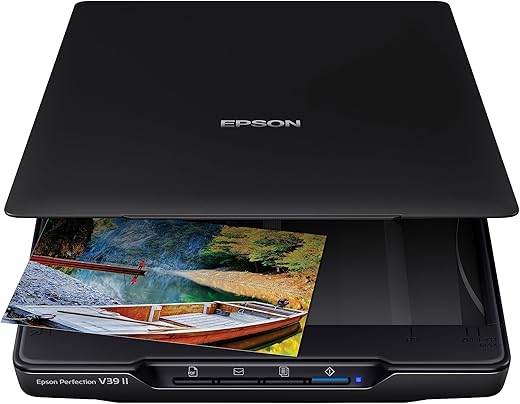
The Epson Perfection V39 II Flatbed Scanner is a versatile and efficient solution for anyone looking to digitize photos, documents, and artwork with remarkable clarity. Boasting an impressive resolution of 4800 dpi, this scanner ensures that every detail is captured, making it an excellent choice for both professional and home use. Its user-friendly design is perfect for those who may not be tech-savvy, allowing for easy operation right out of the box. With the added convenience of cloud functionality, users can effortlessly store and share their scanned files online, enhancing workflow efficiency.
The compact size and USB-powered design make the Epson Perfection V39 II highly portable, weighing just 1.41 kg. This means you can easily transport it to different locations without the hassle of bulky equipment. Its maximum media size of 8.5 x 11 inches caters to a wide range of scanning needs, from standard documents to larger photographs.
Overall, the Epson Perfection V39 II is a reliable and efficient flatbed scanner that meets the needs of users across Canada looking for high-quality scanning solutions.
Pros:
- High resolution of 4800 dpi for exceptional image clarity
- User-friendly design for easy operation
- Cloud functionality for efficient file management
- Lightweight and portable at 1.41 kg
- USB-powered, eliminating the need for an external power supply
Cons:
- Limited to a maximum media size of 8.5 x 11 inches
- May not be suitable for large-scale scanning projects
Product Description
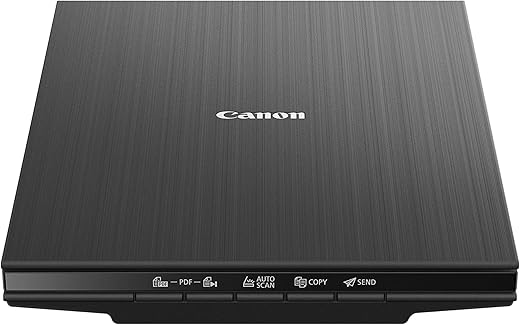
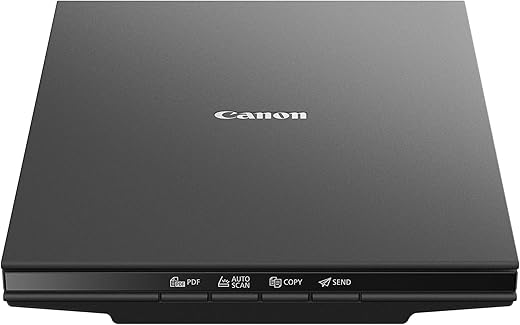
The Canon CanoScan LiDE400 Document Scanner is an impressive addition to any home or office setup. This high-speed scanner boasts a remarkable resolution of 4800 x 4800 dpi, ensuring that every scanned document and image retains clarity and vibrancy. Whether you’re scanning photos, receipts, or important documents, the CanoScan LiDE400 delivers exceptional quality. Its compact design, measuring 17.03 x 3.6 x 12.5 cm and weighing only 2.22 kg, makes it easy to store and transport, perfect for those with limited workspace.
One of the standout features of this scanner is its user-friendly interface. With simple plug-and-play functionality, you can scan documents directly to cloud services, streamlining your workflow. The compatibility with Windows, Mac, and Linux operating systems further enhances its versatility, making it a go-to choice for a wide range of users.
Overall, the Canon CanoScan LiDE400 is a reliable and efficient scanner that meets the needs of both casual users and professionals alike, making document preservation easier than ever.
Pros
- High-resolution scanning at 4800 x 4800 dpi
- Compact and lightweight design
- Easy-to-use with plug-and-play functionality
- Supports cloud integration for convenient file storage
- Compatible with multiple operating systems
Cons
- Lacks an automatic document feeder (ADF)
- Limited to flatbed scanning only
Product Description
The Canon CanoScan LiDE300 Document Scanner is an impressive device that combines functionality with ease of use, making it an ideal choice for both home and office environments. With a high-resolution capability of 2400 x 2400 dpi, this scanner delivers exceptional clarity for both documents and images. Its lightweight design (2.18 kg) and compact dimensions (17.03 x 3.6 x 12.5 cm) make it easy to fit into any workspace without sacrificing performance.
One of the standout features of the CanoScan LiDE300 is its seamless cloud integration. This allows users to store and access their scanned documents effortlessly, enhancing productivity and workflow. The LED light source ensures quick scanning times without compromising quality, while compatibility with Linux, Mac, and Windows operating systems broadens its usability across different devices.
For those looking for an efficient scanning solution, the Canon CanoScan LiDE300 is a strong contender that meets a variety of needs with its user-friendly interface and high-quality results.
Pros:
- High scanning resolution of 2400 x 2400 dpi
- Lightweight and compact design for easy portability
- Seamless cloud integration for easy access
- Compatible with multiple operating systems (Linux, Mac, Windows)
- Quick scanning times with LED light source
Cons:
- Limited to USB connectivity; no wireless option
- Plastic build may not be as durable as metal alternatives
How We Picked and Tested
Our selection process involved thorough research, hands-on testing, and consultation with industry experts. Here’s what we considered:
- Image Quality: Resolution, color accuracy, and clarity
- Speed and Efficiency: Scanning speed and batch processing capabilities
- Ease of Use: User interface, setup, and compatibility
- Connectivity: USB, Wi-Fi, cloud integrations
- Price and Value: Cost-effectiveness considering features
- Sustainability: Energy consumption and ESG compliance
- Customer Support & Reviews: Feedback from Canadian consumers and service reputation
We tested models across various categories, from compact portable scanners to industrial-grade sheet feeders, leveraging authoritative resources like Consumer Reports and industry updates from TechRadar to ensure comprehensive, up-to-date insights.
Various Types of Scanners
The world of scanners isn’t one-size-fits-all. Here’s a breakdown of the primary types suited for different scenarios:
- Flatbed Scanners: Ideal for scanning photographs, documents, and artwork. They offer high-resolution imaging and versatility.
- Sheet-fed Document Scanners: Perfect for bulk document processing, such as legal, accounting, or educational purposes. They handle multiple pages swiftly.
- Portable/Handheld Scanners: Designed for on-the-go use, these compact devices are excellent for scanning receipts, business cards, or archival materials in the field.
- Photo & Film Scanners: Specialized for digitizing old photographs, negatives, and slides, preserving memories in digital form.
- All-in-One Printers with Scanner: Multi-functional devices suitable for small offices or home use, combining printing, copying, and scanning capabilities.
Choosing the appropriate type depends on your volume, portability needs, and the level of detail required. For instance, a graphic designer may prefer a flatbed scanner with high DPI, while a small business might prioritize a fast sheet-fed model.
Tips to Choose the Best Scanner for You
Making the right choice involves understanding your purpose and priorities. Here are essential tips:
- Assess Your Needs: Are you scanning photos or documents? Do you need high resolution or fast bulk processing?
- Consider Compatibility: Ensure the scanner integrates seamlessly with your existing operating system and cloud services, such as Google Drive or Dropbox.
- Prioritize Resolution: For detailed images, look for models offering at least 600 DPI, or higher for professional-grade scanning.
- Balance Speed and Cost: Fast models save time but may come with a higher price tag. Find a balance tailored to your workflow.
- Evaluate Environmental Impact: Look for ENERGY STAR® certified models or those with eco-friendly features to align with ESG goals.
- Read Reviews and Ratings: Canadian users’ feedback can reveal real-world performance.
Additionally, consider emerging technologies like AI-enhanced image processing and mobile scanning apps, which are revolutionizing how we digitize and share content effortlessly.
Types of Scanners & How They Fit Different Needs
Understanding the nuances of each type helps narrow your options:
- Flatbed Scanners: Best for high-resolution needs, delicate artwork, or detailed color work.
- Sheet-fed Document Scanners: Efficient for large document archives, perfect for legal firms, libraries, and offices handling high-volume paperwork.
- Portable Scanners: Ideal for business travelers, sales teams, or remote workers requiring instant digitization.
- Photo & Film Scanners: Critical for personal archives, museums, or photographers preserving memories digitally.
- All-in-One Printers: Suited for small offices and home setups with multi-tasking requirements, combining convenience with space-saving design.
ESG Considerations and Sustainable Scanning
Environmental, Social, and Governance (ESG) factors are increasingly influencing purchasing decisions. Modern scanners are designed with sustainability in mind:
- Energy Efficiency: ENERGY STAR® certification ensures reduced power consumption during operation and standby.
- Material Sustainability: Manufacturers are adopting recyclable plastics and eco-conscious packaging.
- Lifecycle Management: Purchase choices can include options for maintenance and recycling programs, reducing electronic waste.
Implementing sustainable scanning practices can also contribute positively to your corporate social responsibility (CSR) profile, resonating well with eco-aware consumers and partners.
Advantages of Investing in the Right Scanner
The right scanner is more than a piece of hardware—it’s a catalyst for efficiency and innovation:
- Time Savings: Automated batch scanning and high speed simplify workflows.
- Cost Reduction: Minimizing paper use, manual labor, and physical storage expenses.
- Enhanced Accessibility: Digital archives are easier to search, share, and back up.
- Sustainability Boost: Digital files reduce paper and physical resource consumption.
- Future-Proofing: Compatibility with emerging tech like OCR (Optical Character Recognition) and AI enhances long-term value.
Frequently Asked Questions (FAQs)
- 1. Which scanner is best for home use in Canada?
- For home use, consumer-friendly models like the Epson Perfection series or Canon’s CanoScan range offer excellent quality with user-friendly interfaces.
- 2. Are portable scanners reliable for professional work?
- Yes, provided they meet your resolution and speed needs. Brands like Fujitsu ScanSnap offer portable options with consistent performance.
- 3. How do I ensure my scanned documents are secure?
- Look for scanners with built-in security features such as PIN protection, encrypted data transfer, and secure cloud integration.
- 4. Can I scan directly to cloud services?
- Many modern scanners support direct uploads to cloud platforms like Google Drive, OneDrive, or Dropbox. Check the specifications for cloud connectivity options.
- 5. What future innovations should I watch for in scanners?
- Emerging trends include AI-powered auto-cropping and enhancement, multi-page PDF creation, and IoT connectivity for smart office integration.
Conclusion
Choosing the best scanner in Canada depends on your unique needs—whether it’s high-resolution photography, bulk document processing, or portability. The landscape is rapidly evolving, with exponential advancements in imaging technologies, AI, and eco-conscious manufacturing shaping the future. By understanding your priorities, assessing the various types, and considering ESG factors, you can make a well-informed decision that enhances productivity, supports sustainability, and keeps you ahead in the digital age.
Stay tuned for upcoming innovations, as the gap between physical and digital continues to close, making scanners not just tools but catalysts for a smarter, greener future. Remember, investing in the right technology today ensures seamless workflows tomorrow, helping you stay connected and competitive in Canada’s vibrant business and cultural landscape.